

Your smart home's floor plan
in real time
A visual editor and floor plan of your smart home that shows device states in real time: from lights and sensors to the robot vacuum.
Demo account: login demo, password demo. The demo resets every hour, so feel free to experiment
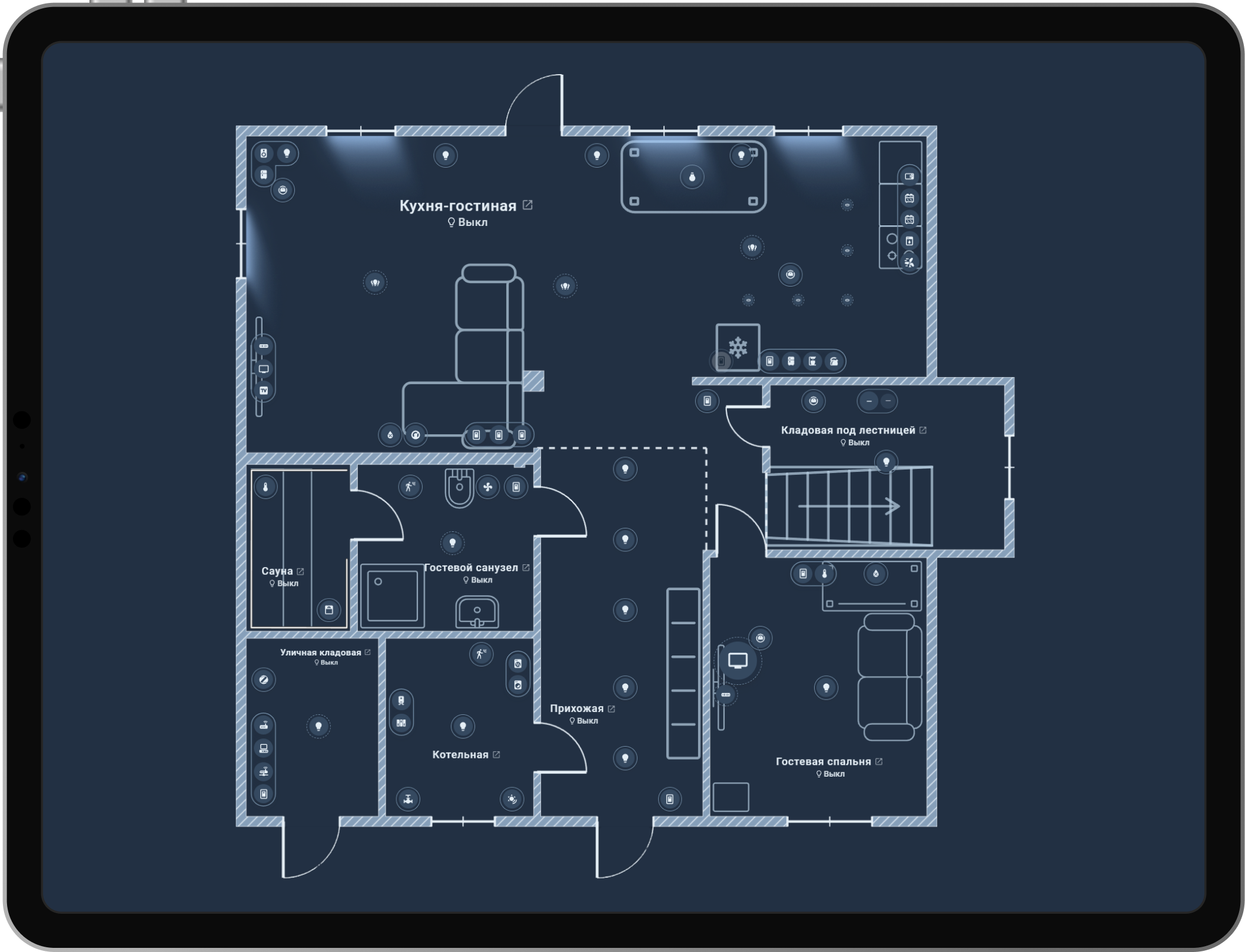
Light sources
in real time
See the state and colour of every light source on the plan in real time. Watch how light spreads through rooms and passes through doorways.
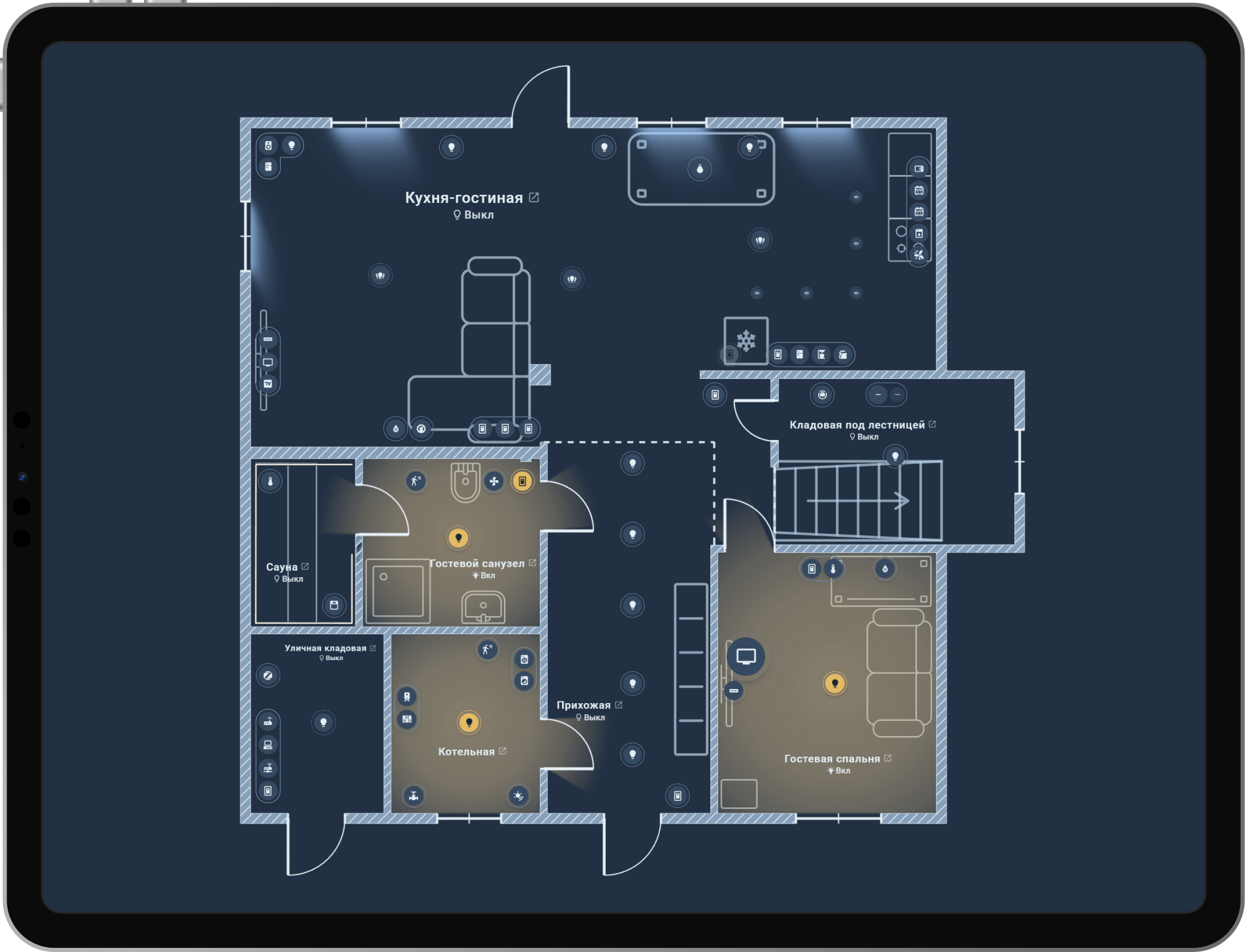
Robot vacuums in real time
The robot moves across the plan in real time, showing its full route: both the path already covered and the path ahead. The current and previous cleanings are stored on the server, and map calibration takes one click.




For compatible models through Xiaomi Cloud Map Extractor, Dreame Vacuum, Valetudo and Ecovacs maps. Support depends on the model and integration.
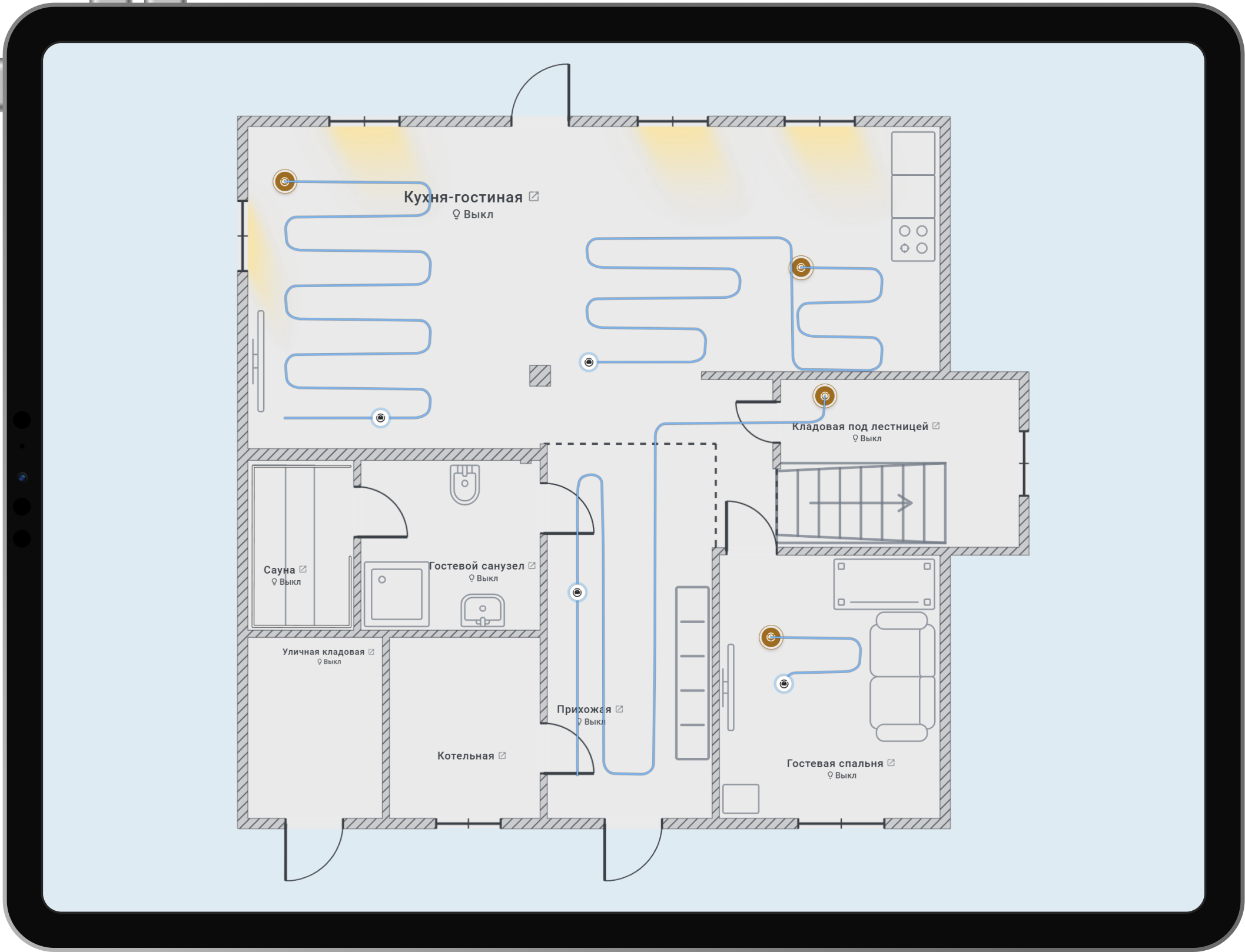
Zigbee devices and their connections on your floor plan
Zigbee links are drawn right on your plan, where the devices actually are. Hover a device to see its neighbours: line colour shows link quality, and the arrows lead to the coordinator.
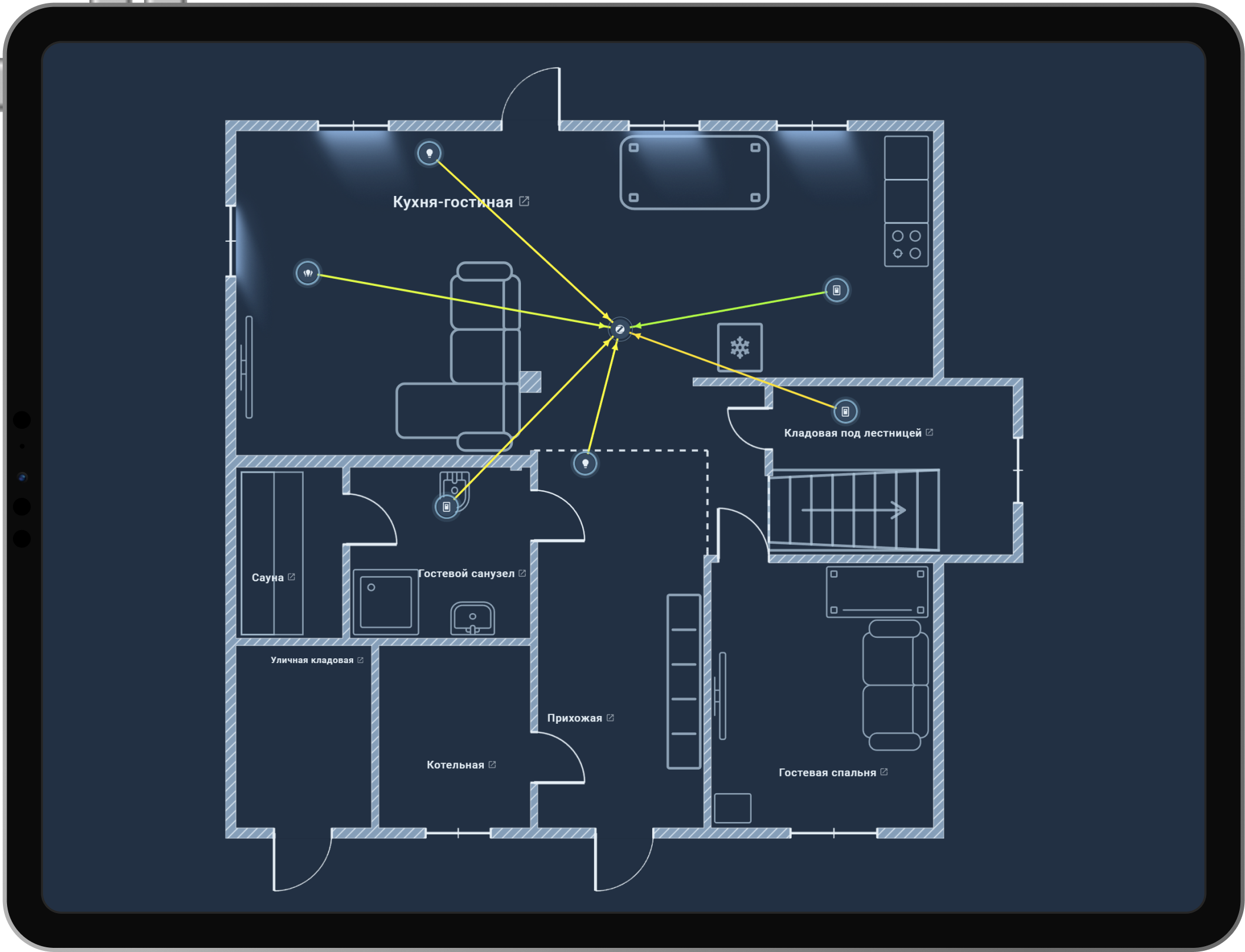
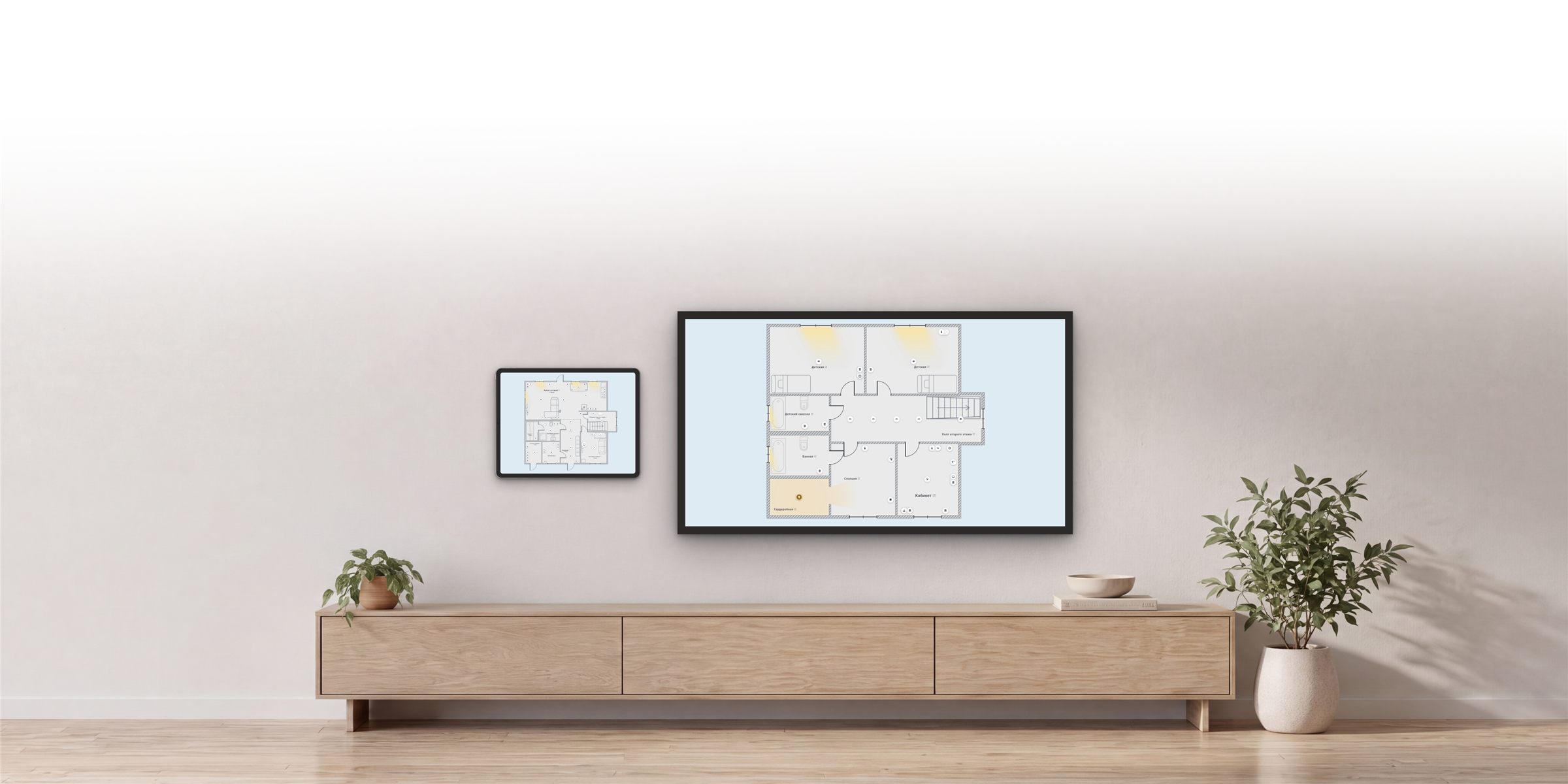
Kiosk mode
A dedicated mode for a wall-mounted tablet or TV, showing the state of your whole home on one screen. Swipe between floors or let them cycle automatically, and adjust icon sizes to fit the display.
HousePlan video review
What the plan looks like and what it can do, shown live in Home Assistant. The video is in Russian.
What's new
The latest stable releases: a few highlights, with the full story behind each update. All releases on GitHub
-
v1.82.0
Editors, device arrangement and full backups
- Redesigned settings and a properties panel beside the plan.
- Device snapping, copying and batch actions.
- Full ZIP backups, Ecovacs support and room CO₂ readings.
Show details Hide details
A major editor and settings update makes plans easier to style, devices easier to arrange, and full backups easier to transfer.
Properties beside the plan
One panel for precise object editing, plus redesigned Space, Room, Device and General settings with clear sections and previews.
Neatly arranged devices
Markers snap to walls and neighbours; copy devices, filter the catalog and apply batch actions. Reveal hidden devices with one button.
Transfer and support with fewer files
Full ZIP backups include images and saved Zigbee links. The Sweet Home 3D and Easy Floorplan converter is updated, and Help collects richer diagnostic reports.
Vacuum routes
Ecovacs support includes manual map alignment. Paths follow integration data; position-only sources can start a new trail after docking.
Fixes and improvements
Fixed restoring vacuum trails, rooms with retained openings and backups with stale links. Device cards explain alarm causes; Home Connect service reminders no longer trigger red pulsing. Removed Home darkness while keeping lamp glow.
-
v1.81.0
Easier alignment, richer vacuum maps, tailored Zigbee
- Custom Zigbee indicators and links that survive a restart.
- Full cleaning routes with turns and short stretches.
- Snapping for evenly spaced devices and aligned walls.
Show details Hide details
Aligning your plan is easier, vacuum maps show more detail, and Zigbee indicators can be tailored to your home. Zigbee2MQTT links now survive Home Assistant restarts.
Show only the signal you need
Set Zigbee indicators for the whole home, a floor or an individual device. Battery and signal readings are also available for individual device entities.
Links survive a restart
Your saved Zigbee2MQTT map stays on the plan, marked as stale, until you refresh it or turn links off.
See more of your vacuum's work
Supported maps show the full route, preserving turns and short stretches of the path.
Space devices evenly
A new snap helps keep equal gaps between icons and highlights the spacing.
Line up walls more easily
While drawing or moving nodes, horizontal and vertical wall endpoints snap into line with a parallel wall's end — even off the grid.
Fixes and improvements
Large-plan updates and wall-node dragging are faster. Undo and saving after errors are more reliable, and Optimize explains how to clean up old records. You can move the wall-thickness dialog while the wall being edited stays highlighted.
-
v1.80.1
Wall nodes, batteries and plan recovery
- Drag wall nodes with a preview, snapping and Undo.
- Battery levels on the plan and connections from ZHA and Zigbee2MQTT.
- Remove spaces in one step and restore plans after reinstalling.
Show details Hide details
Editing your plan is easier: move walls by dragging their nodes and remove unused spaces without extra steps. Battery levels are now visible on the plan, the Zigbee map is more accurate, and restoring your plans after reinstalling is simpler.
Move walls by their nodes
Drag corners and wall junctions in Select mode. The preview shows the result, and snapping helps line up walls. Changed your mind? Press Esc or undo the change with Undo.
Keep an eye on batteries
See battery levels beside devices and in their tooltips. Show only low-battery warnings or hide indicators for individual devices.
A Zigbee map without guessed connections
Connections come from ZHA and Zigbee2MQTT. Zigbee2MQTT scans keep running even after you close the browser — come back for the results later.
Remove a space in one step
No need to take each device off the plan first. Your devices in Home Assistant stay untouched.
Reinstall without losing your plans
HousePlan offers to restore saved data or start fresh. If you choose a clean slate, your previous plans stay in an archive.
Fixes and improvements
Switching floors and resizing rooms is faster on large plans. LED strips cause less slowdown when zooming. We also fixed the room outline during radar setup and device and opening updates in space cards.
Show more Hide earlier releases
-
v1.79.0
LED strips and the Moon
- Draw LED strips point by point and control them on the plan.
- The Moon in its current phase at dusk and night.
- Steadier 2.5D and faster updates and floor switching.
Show details Hide details
Show light right where it belongs: draw an LED strip on the plan and link it to a device. In the evening, the background can show the Moon in its current phase. We also made the plan faster and steadier, with less flicker, fewer unexpected shifts and better editor recovery.
LED strips on your plan
Draw a strip point by point, link it to a light and control it from the plan. A soft glow shows where the light is on. Switch between the strip and a regular icon without losing its shape.
The Moon in its real phase
At dusk and night, the background can show a crescent, half or full Moon based on its current phase and position above the horizon. Enable it in General settings under Sun and Moon.
Fixes and improvements
In 2.5D, furniture no longer shifts when switching views, and device icons stay put when their states change. Updates and floor switching are faster, and room fills no longer flicker. Returning to the editor after the card reloads is more reliable; failed loads no longer retry without your action.
-
v1.78.0
Volumetric view, stairs and a better mobile layout
- 2.5D in General settings and stairs that connect floors.
- Batch device visibility and adjustable card height.
- A compact mobile toolbar and more reliable gestures.
Show details Hide details
Your plan is clearer and easier to use every day. Volumetric view is now in General settings, and stairs connect floors right on the plan. Phones leave more space for your home, card height is adjustable, and you can manage hidden devices as a group.
Volumetric view, no experimental settings needed
Turn on 2.5D in General settings: devices appear as raised tiles with shadows, and light from windows follows the Sun. Flat view stays familiar.
Stairs between floors
Add straight or spiral stairs, set their dimensions and choose where they lead. In View mode, tap the stairs to switch to the linked floor.
Hide or bring back devices as a group
Find hidden devices in the catalogue, select a few or all of them and show them on the plan in one action. You can also hide selected devices together.
Card height that fits your screen
On Sections dashboards, use Home Assistant's standard resize handle to make the plan taller or shorter. The plan and editors fit the space you give them.
More room for the plan on phones
The toolbar is more compact: everyday actions stay handy, with the rest in a menu. Editor controls no longer take up space for people who only view the plan.
Fixes and improvements
Panning and swiping between spaces no longer compete, and double-tap fits the plan again. Translucent device icons help you line things up in the Plan editor. We fixed number entry, Home Assistant dialogs, large-plan uploads and vacuum route links during import. Virtual lights save their latest changes more reliably when Home Assistant stops.
Open source, strict testing
HousePlan is open source under the MIT license. Every release passes the full test suite, a visual check against 220 reference images and a performance budget check, and then an independent adversarial audit.
Try the floor-plan editor in the demo
Login demo, password demo.
Experiment freely: the demo resets every hour.
Write to us
Questions, ideas and bug reports: pick whichever channel suits you.
Telegram chat
Questions about installing and setting up, news and discussion.
Open the chatBugs and ideas on GitHub
Found a bug or want to suggest a feature? Open an issue in the project repository.
Open an issueFeedback form in your HousePlan
Open Help in HousePlan and send feedback directly from the interface.
In the Help section